
Create User Role
In this article, we will discuss the role of a "Security Manager." This role provides access to all program settings, including the newly introduced API Settings, which enhance security management by allowing configuration and control over API access. More details about the Security Manager role and its features will be discussed later in this article.
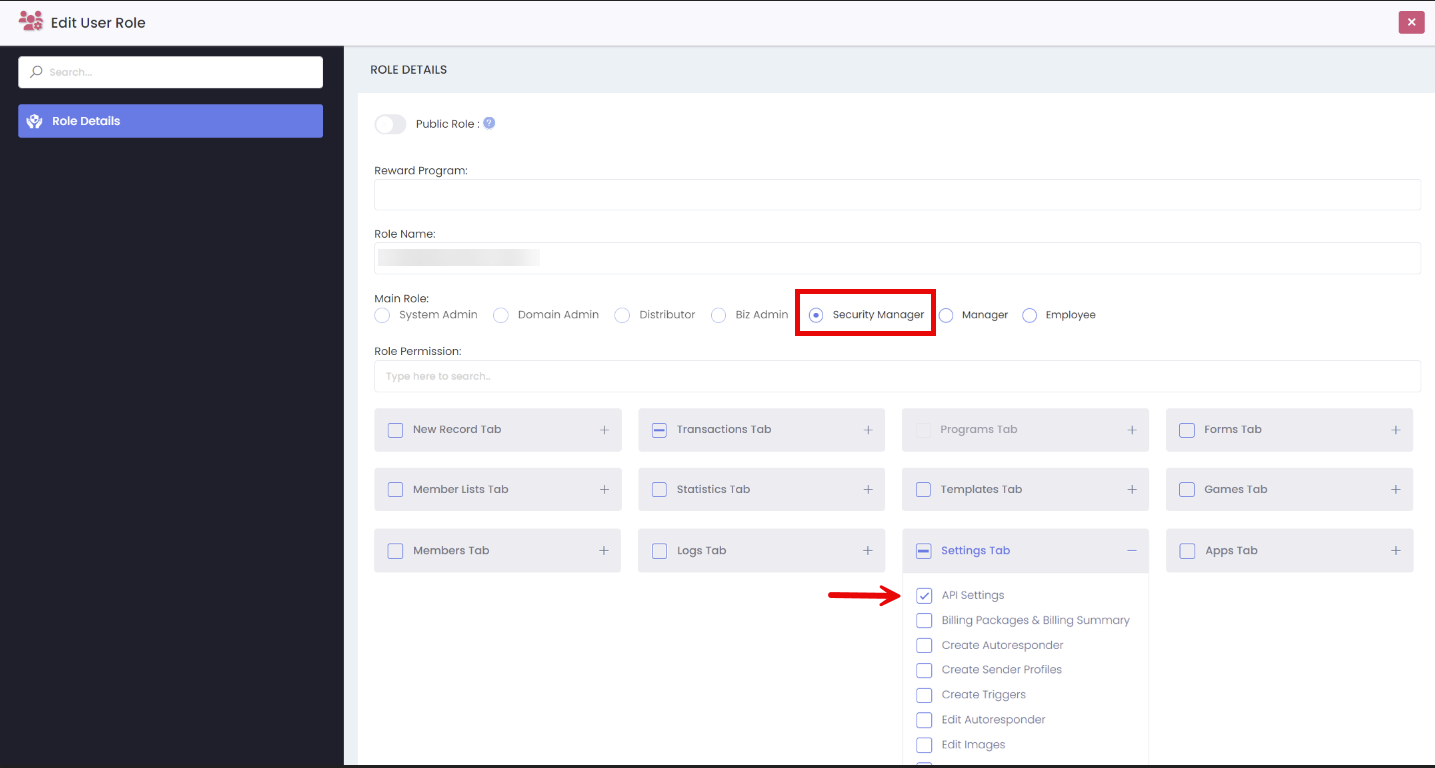
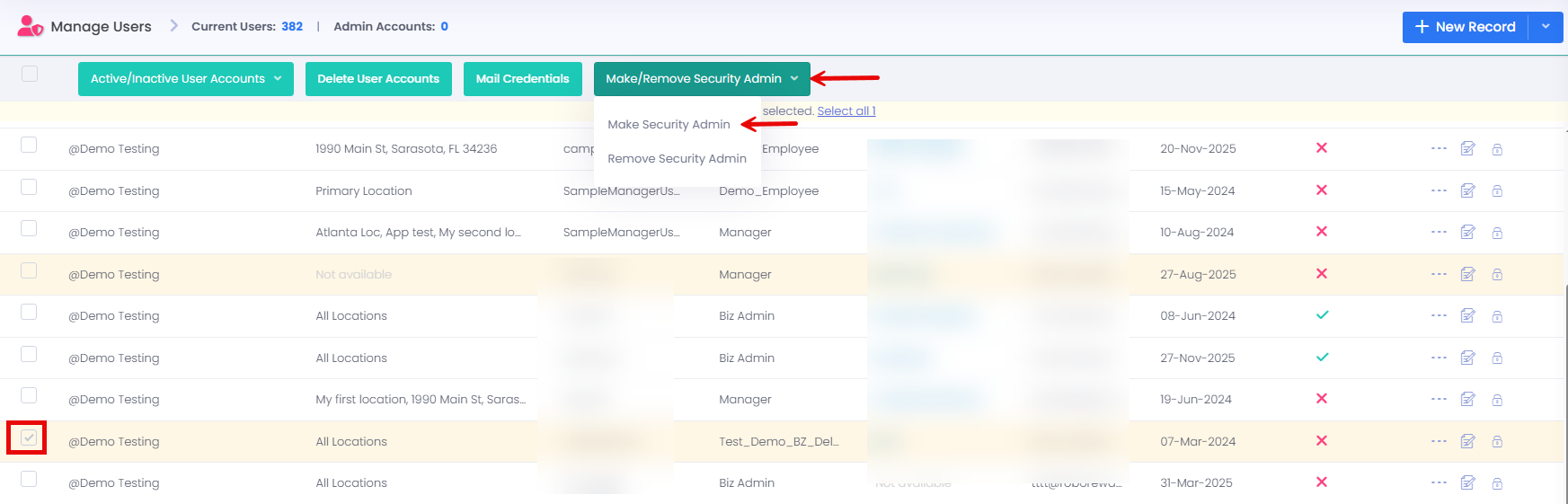
After creating the security role, you must create a user who will act as the Security Manager. Once the user is created, assign the Security Admin role to that user. When a security token is issued, it is sent only to the Security Admin. This token is required to approve and add the Security Manager’s IP address to the approved IP list.
API Settings
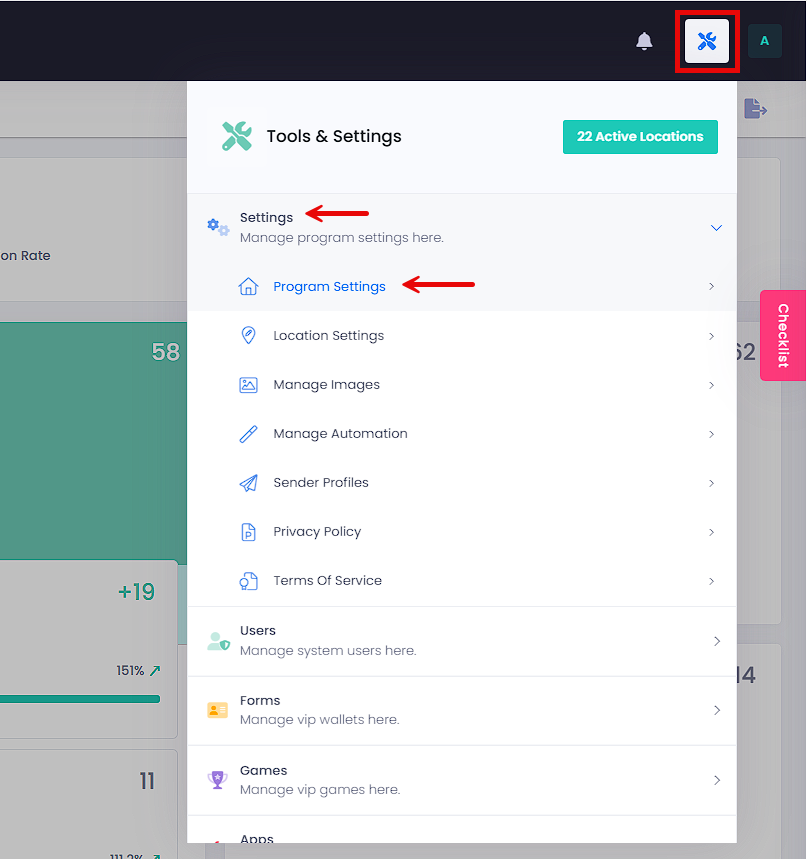
The API Settings will help enhance security regarding the protection of your members' data. The new API settings can be found by going to Tools & Settings > Settings > Program Settings > API Settings sub-tab.
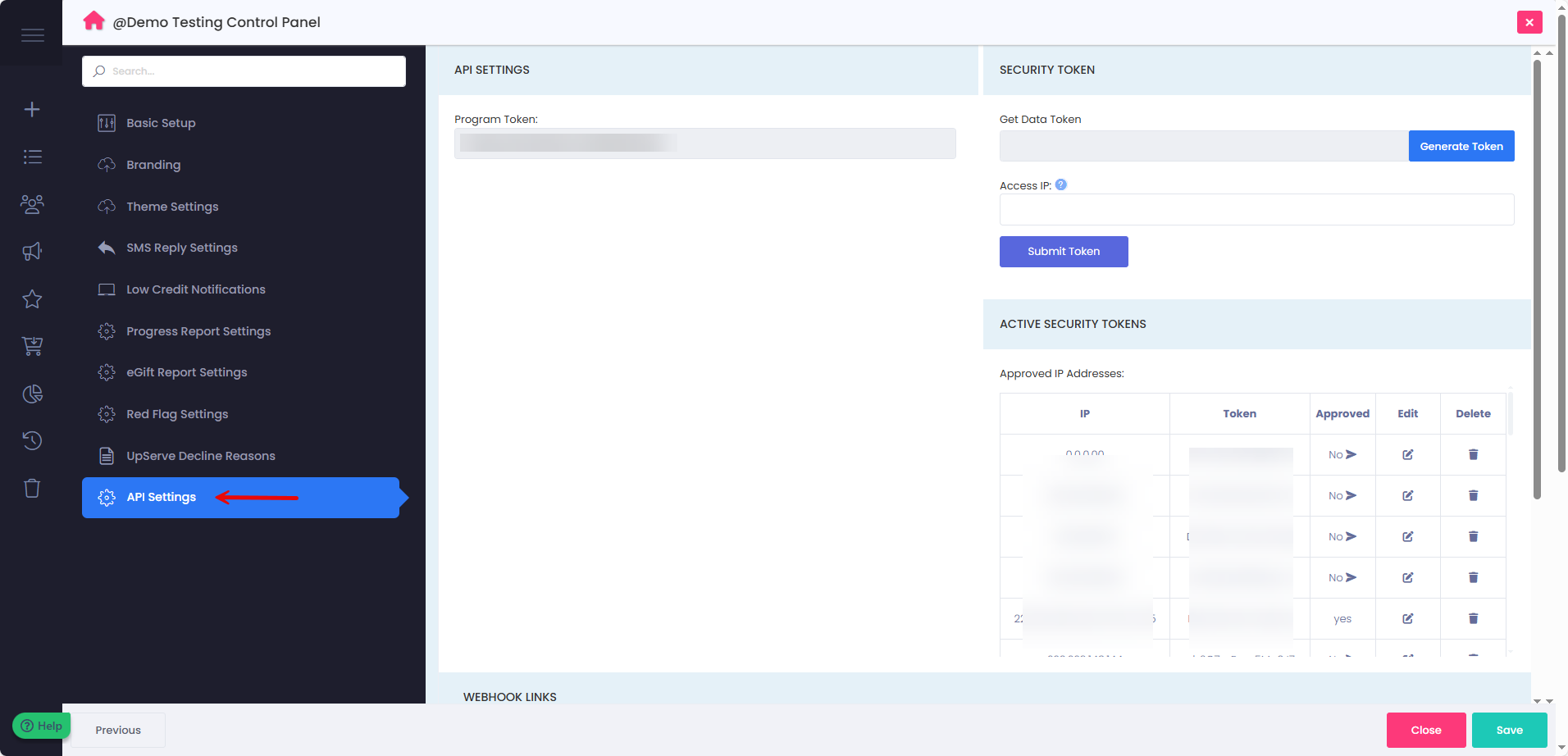
On the API Settings page, only individuals with a Security Manager role can access this section. To start, generate a security token in the "Get Data Token" area. Once the security token is generated, enter your IP address and click "Submit Token." This action will send a notification or email to the Security Admin, who must approve the request for the Security Manager's IP address to be added to the approved list. Multiple IP addresses can be submitted at once by separating them with commas.
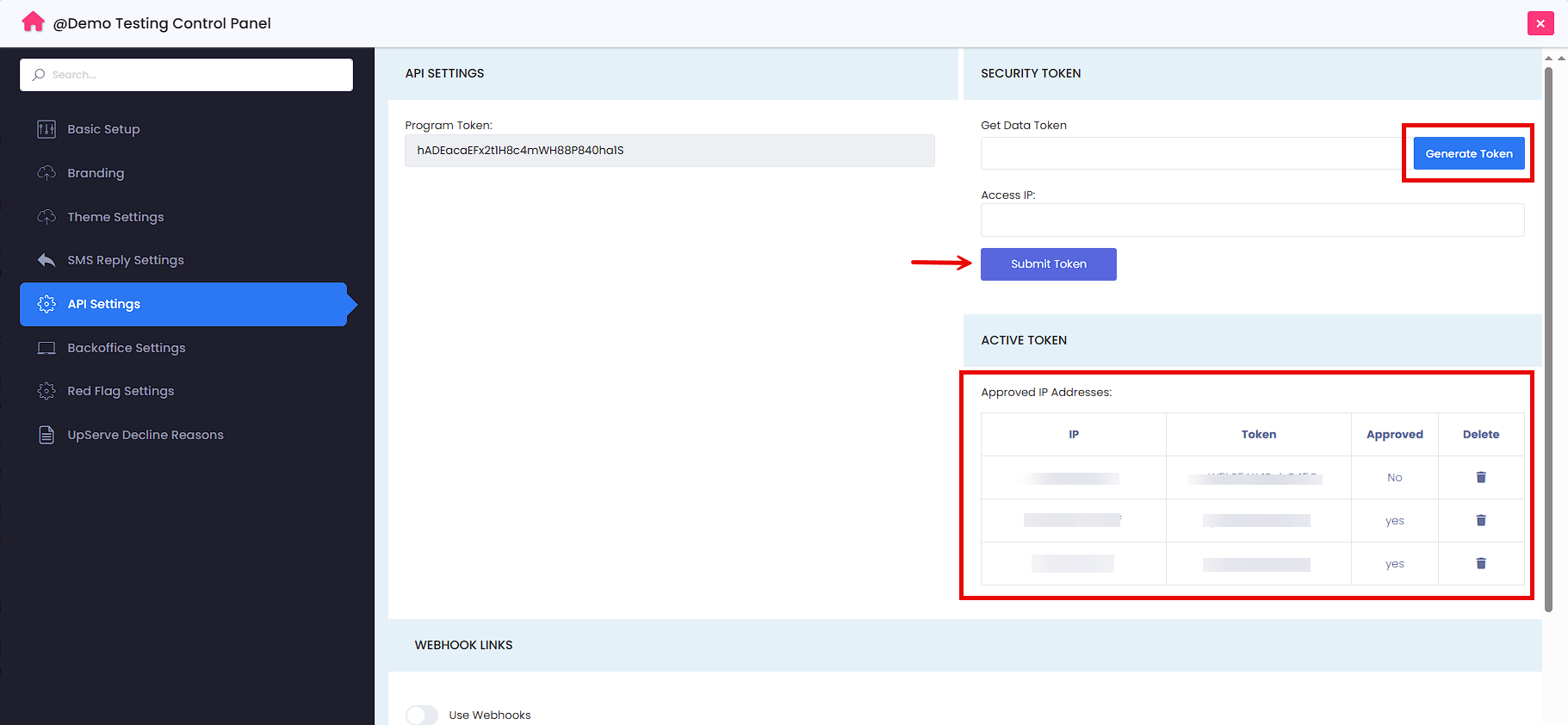
After the Security Admin approves the email, the Security Manager will receive a notification, and the security token will be displayed on this page.
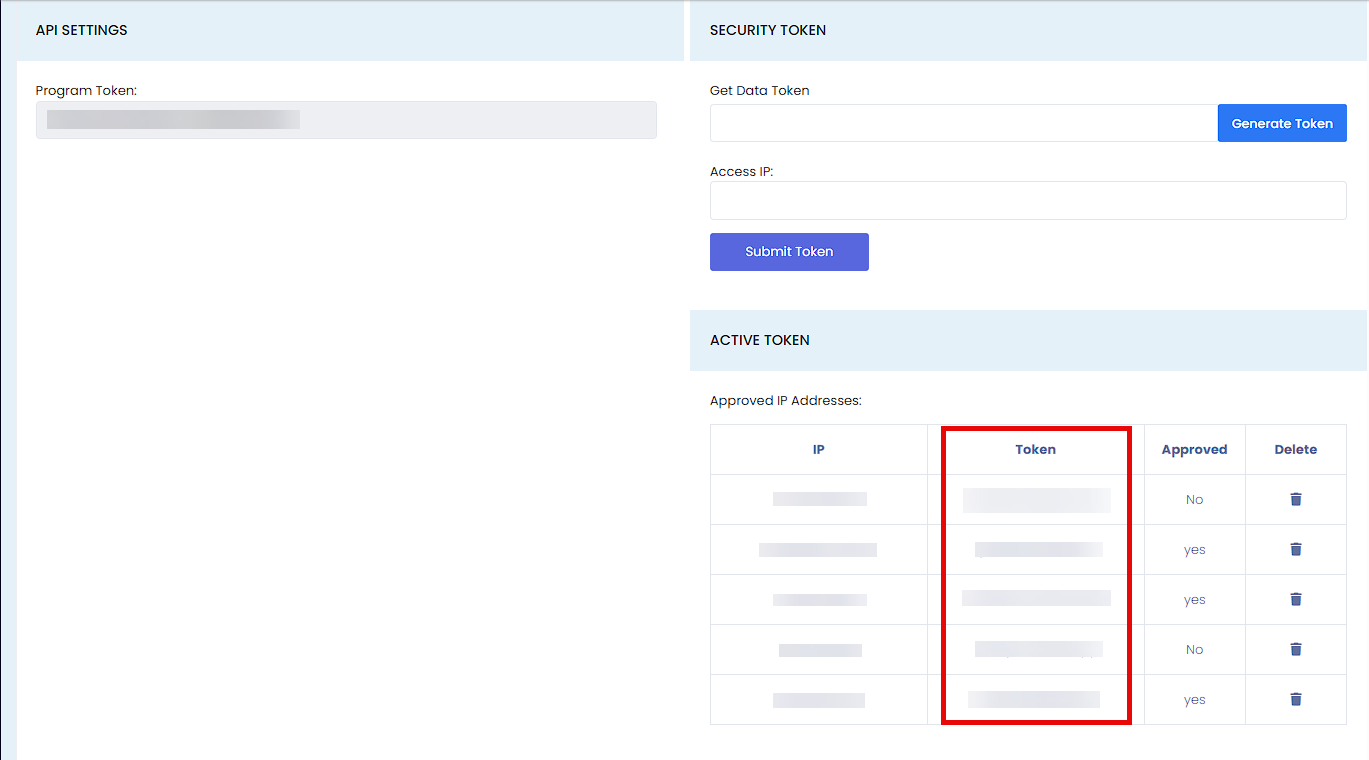
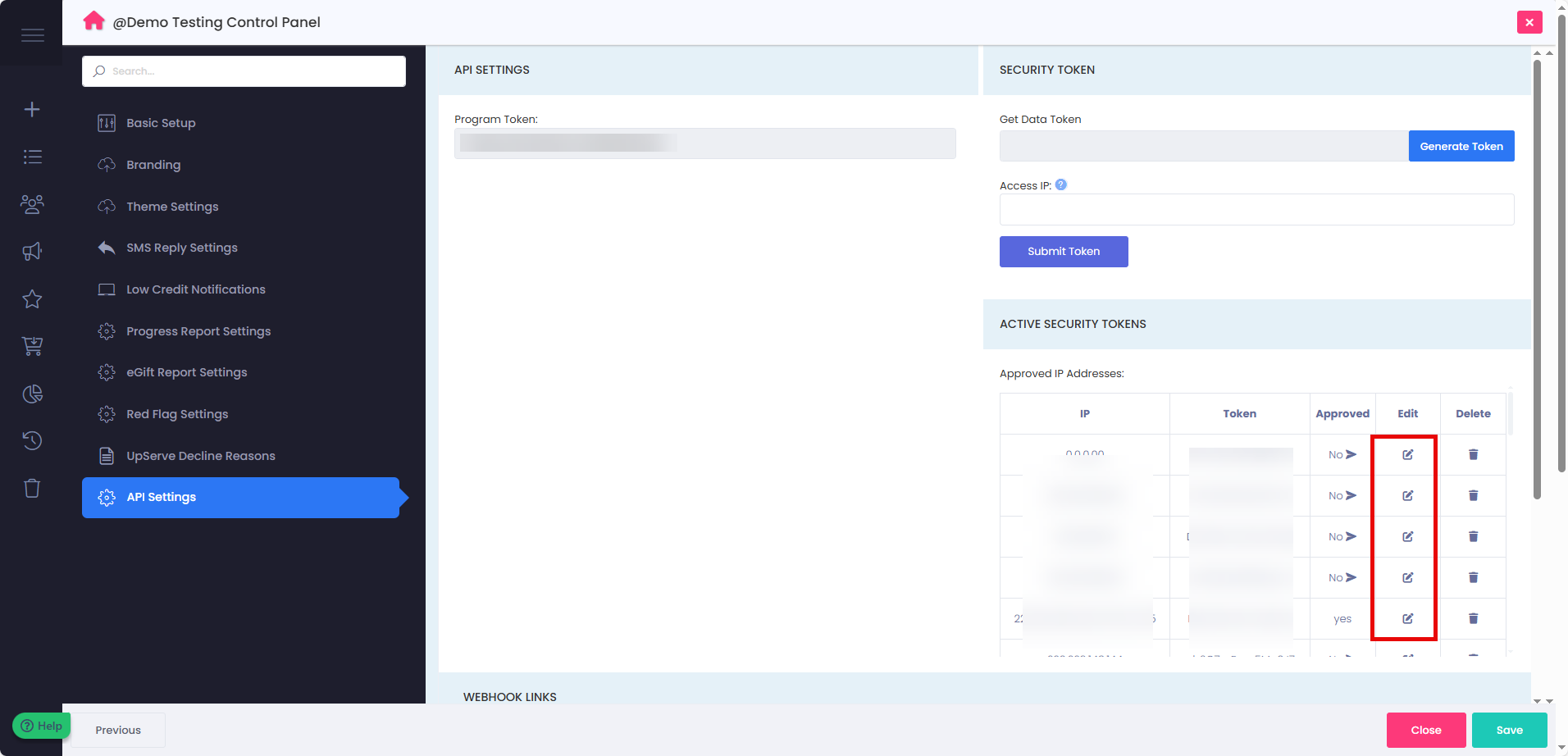
You can also update the list of approved IP addresses whenever needed. This is helpful if you have a dynamic IP address, use a VPN, or if your IP address changes often. By updating the approved list, you can continue using the same security token without any issues. To make changes, simply click the Edit icon next to the approved IP addresses, add a comma after the last IP address, then type in the new IP address and press Enter to save.
Developer API
Once the IP address is approved, you can proceed to the Developer API. The Developer API can be accessed by clicking on your profile and selecting Developer API.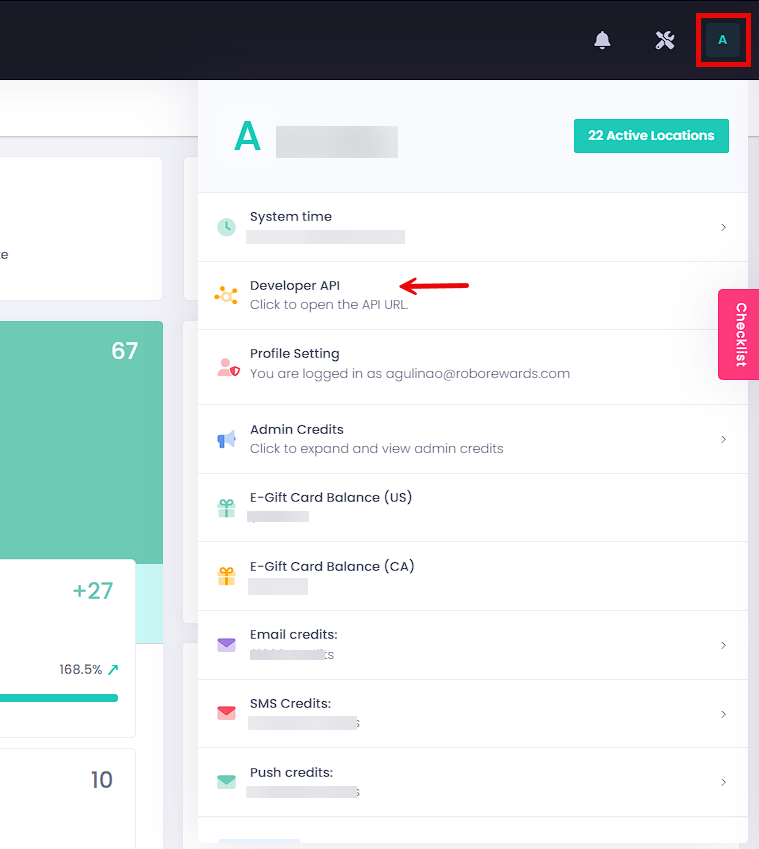
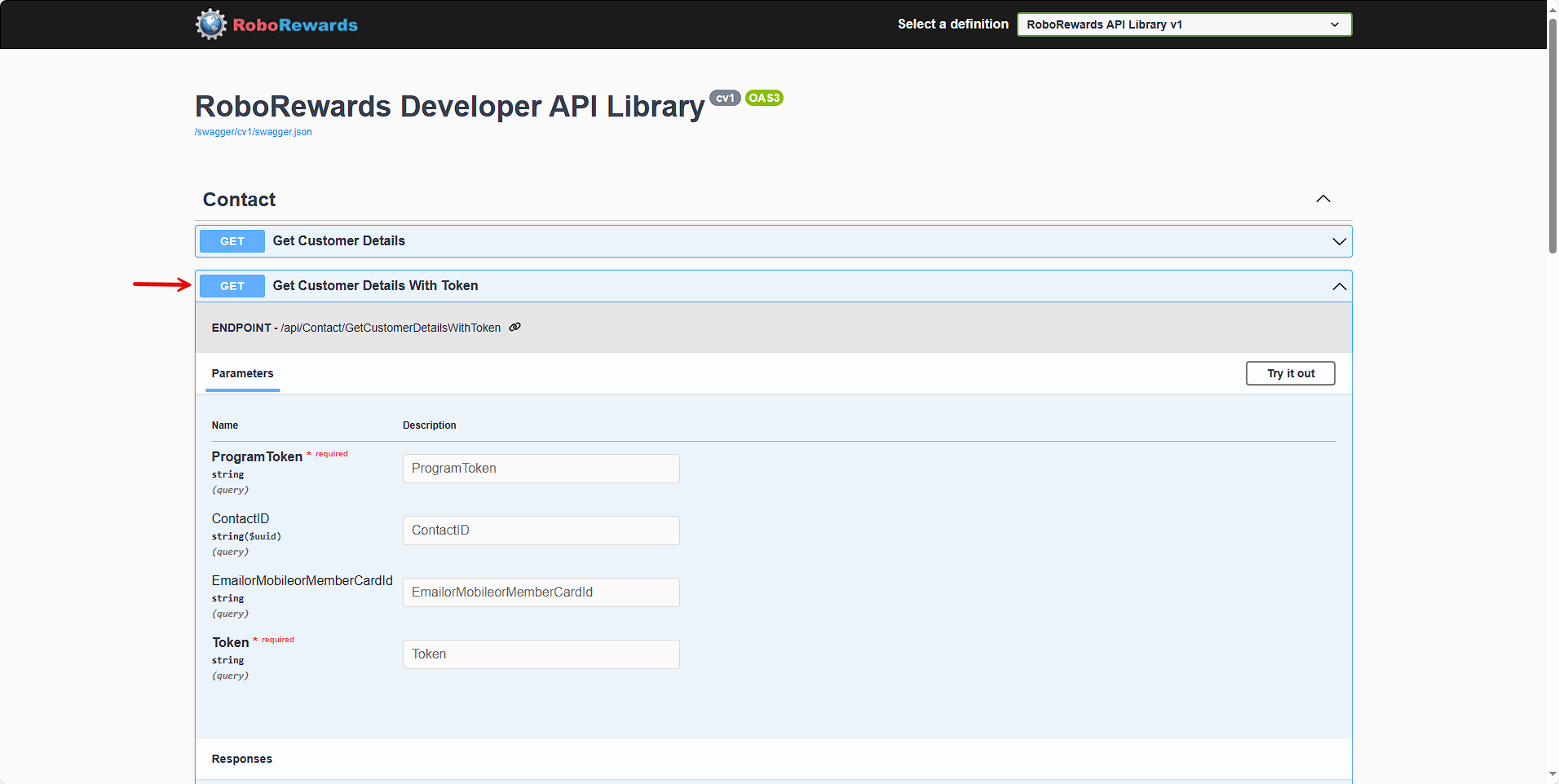
In the API Library, you can select the “Get Customer Details with Token” option to extract data from the program. This new feature helps prevent fraud by allowing only employees with approved IP addresses to access the data.
If you have any questions, please don't hesitate to open a support ticket, and one of our representatives will be in touch with you shortly.