Program Points Based on Visit Duration (Check-In / Check-Out)
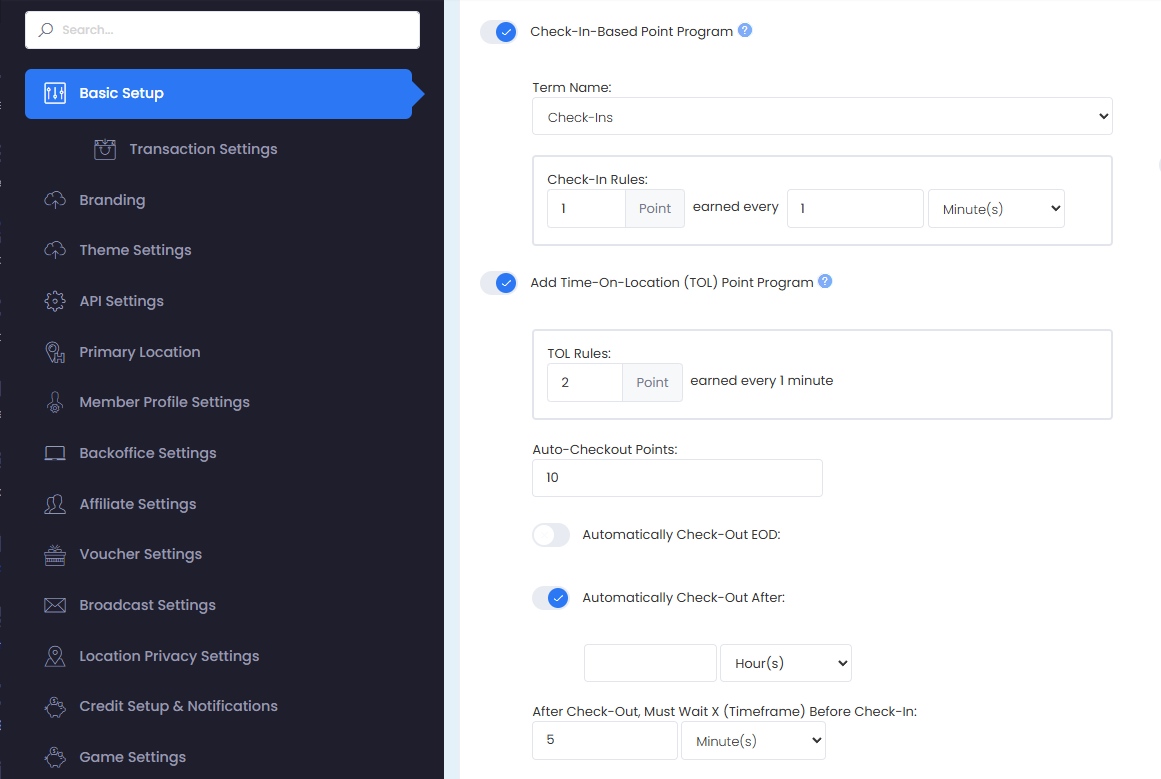
We offer a point-tracking option that rewards members based on the length of time they spend at a location. Using a Check-In and Check-Out system, the platform calculates the duration of each visit and automatically issues points based on that time.
Two common point-earning models are used:
- TOL (Time-On-Location)
In this model, points are issued continuously based on time spent. For example, 1 point is awarded for every minute of play, meaning 60 minutes of play earns 60 points. This method provides a more precise measurement of engagement.
- Check-In Timeframe Model
With this approach, members earn points at specific intervals after checking in. For example, a member might receive 60 points for every 60 minutes spent at the location. While the total points earned may be the same as with TOL, this method awards points in scheduled increments rather than continuously.
Although both models can produce the same total points, TOL offers greater accuracy because points are tied directly to the exact time spent. Additionally, if an account times out, any accumulated points are not counted under the TOL Segment Marketing model.
This approach allows programs to reward longer and more engaged visits, rather than simply recognizing attendance.
Earning Method Settings
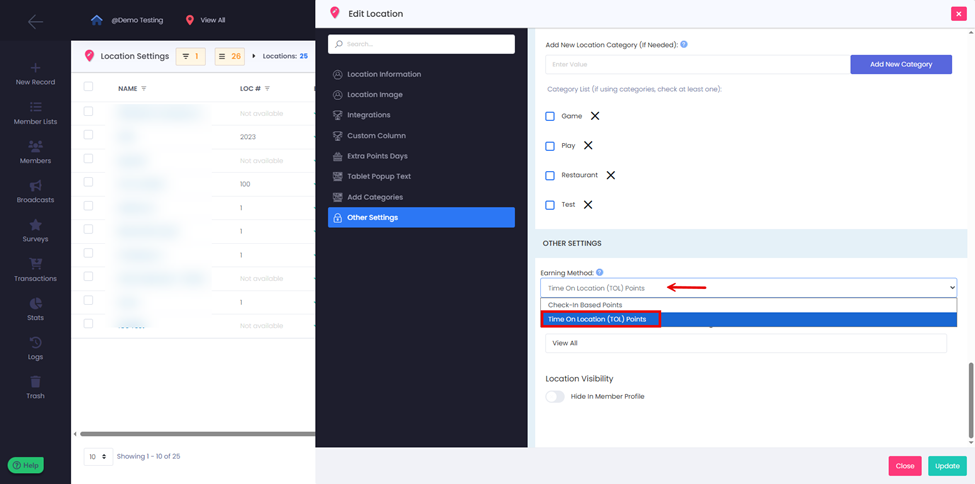
If both earning options are enabled in the program (TOL or Check-In Based), each location must select one earning method to use. This ensures that points are awarded consistently according to the method chosen for that specific location.
A new option has been added in Location Settings. This toggle setting allows to define how points will be awarded at a location by selecting one of the following:
- TOL (Time on Location)
- Check-In Based
Tablet Popup Message
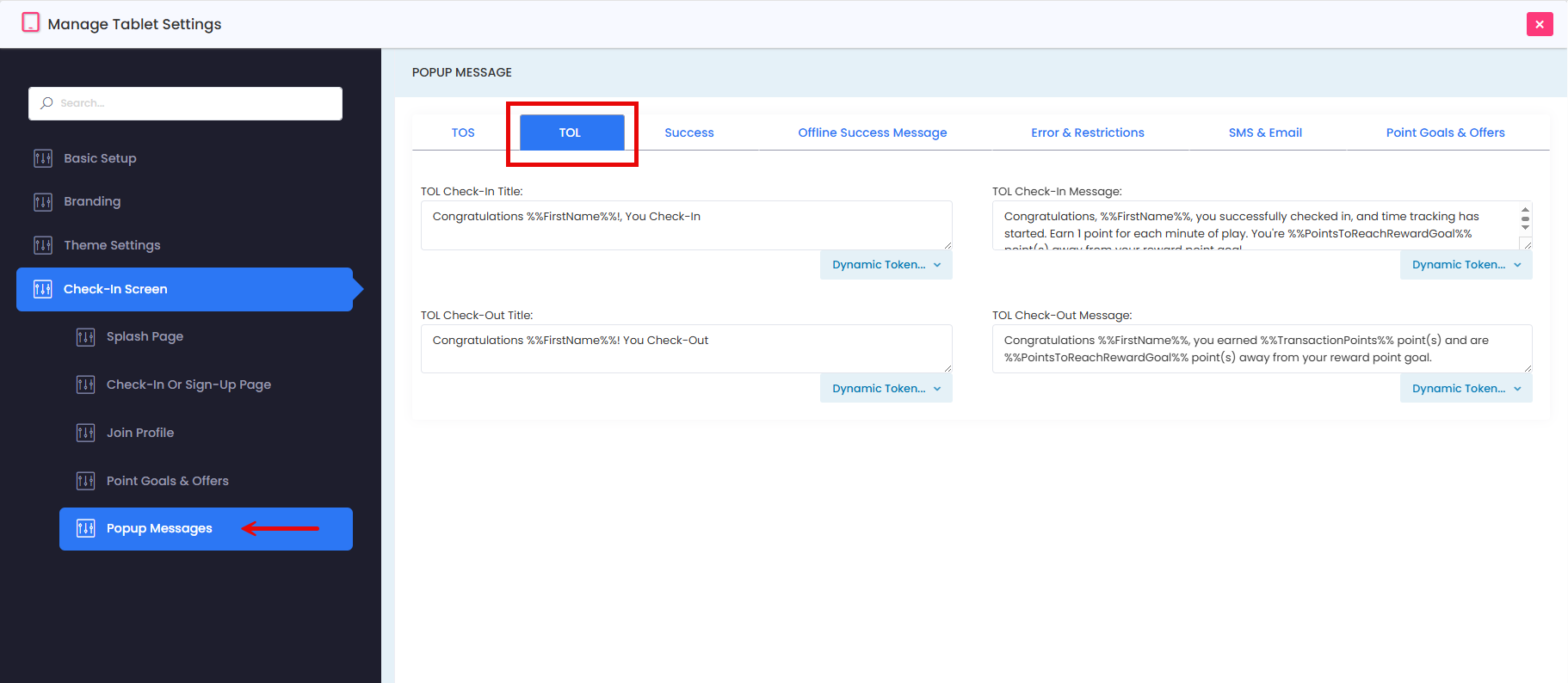
Popup messages can be customized by navigating to Manage Tablet Settings > Popup Messages > TOL. From this page, you can edit both the Check-in and Check-out messages.
Gamification
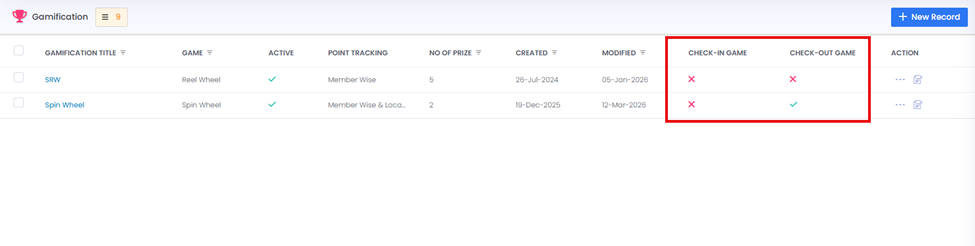
Gamification can now be triggered at either check-in or check-out. A new Check-In / Check-Out column has been added to the Gamification page, allowing you to choose when a game appears by toggling a checkmark or X. This allows you to engage members when they arrive or before they leave.
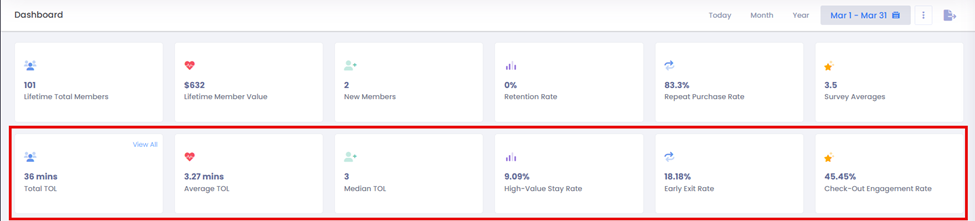
New Dashboard Metrics for Time on Location (TOL)
New dashboard KPIs help track engagement based on visit duration.
Total TOL
The combined total time members spend across all sessions.
Average TOL
The average visit duration.
Formula: Total Session Duration ÷ Total Visits
Median TOL
Average the two middle values if their are even number of sessions. If there are odd number of sessions, take the middle value. i.e. minute duration 10, 12, 25, 45, 56, 60 = mean = (25+45)/2 = 35 minutes. If odd number = 10,12, 45, 56, 60. The middle number is 45 so that is mean.
High-Value Stay Rate
The percentage of visits where players stayed longer than your defined "high-value" time threshold. This helps identify how often guests are highly engaged during their visit.
Formula: (Visits above threshold ÷ Total visits) × 100
Early Exit Rate
The percentage of visits where players checked out or became inactive within a short time after checking in. This can indicate low engagement or unmet expectations.
Formula: (Sessions below early threshold ÷ Total sessions) × 100
Typical thresholds are 10–15 minutes.
Check-Out Engagement Rate
The percentage of sessions where players actively checked out instead of timing out due to inactivity. Higher rates suggest stronger engagement and intentional session completion.
Formula: (Total Check-Out Interactions ÷ Total Check-Ins) × 100